Image Rendering
By default, emojis render as native Unicode characters. To render image-based emojis, configure one of the image resolution strategies on the provider or per-instance.
Image URL Template
Section titled “Image URL Template”Use {set}, {unified}, and {skin} placeholders:
const emojiAssetBase = `${import.meta.env.BASE_URL}example-emoji`;
<EmojiProvider data={data} set="apple" imageUrlTemplate={`${emojiAssetBase}/singles/{unified}.png`}>  <EmojiText>:wave: :heart: :sparkles:</EmojiText></EmojiProvider>;
Custom Image URL Function
Section titled “Custom Image URL Function”For full control, provide a getImageUrl function:
<EmojiProvider data={data} set="apple" getImageUrl={(_emoji, context) => `${emojiAssetBase}/singles/${context.unified}.png`}> <EmojiText>:wave: :heart: :sparkles:</EmojiText></EmojiProvider>Sprite Sheets
Section titled “Sprite Sheets”Render emojis from a sprite sheet by providing a sprite config:
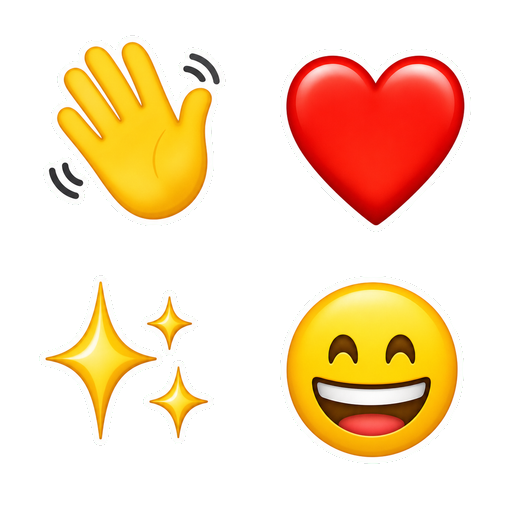
<EmojiText set="apple" sprite={{ src: `${emojiAssetBase}/sprite-2x2.png`, size: 24, columns: 2, sheet: { '1f44b': { x: 0, y: 0 }, '2764-fe0f': { x: 1, y: 0 }, '2728': { x: 0, y: 1 }, '1f600': { x: 1, y: 1 }, }, }}> :wave: :heart: :sparkles: :grinning:</EmojiText>Sprite coordinates are matched case-insensitively. Emojis without coordinates fall back to native rendering.
Resolution Priority
Section titled “Resolution Priority”When multiple image strategies are configured, they resolve in this order:
getImageUrl(highest priority)spriteimageUrlTemplate- Native Unicode (fallback)
The emojiClassName prop is applied to rendered <img> and sprite <span> elements.
Try It
Section titled “Try It”These examples use docs-local PNG assets for standalone image URLs and a 2x2 sprite sheet:


Want to inspect the demo asset structure? Download the sample asset bundle, or open the sprite sheet directly. The bundle contains
example-emoji/singles/PNGs keyed by unified codepoint plusexample-emoji/sprite-2x2.png.